(begin (define DESU
 (lambda ()
  (display "DESU ") (DESU)))
  (DESU))
by @rdsathene: run in any Scheme interpreter. Beats hello world by a long shot.

(begin (define DESU
(lambda ()
(display "DESU ") (DESU)))
(DESU))
by @rdsathene: run in any Scheme interpreter. Beats hello world by a long shot.
See the full details at UCLA's Newsroom site: Video: 1948 mechanical computer at UCLA
Ars Technica reports: Asus is first to the party with a #Thunderbolt 2-certified motherboard http://t.co/rMKiaE7FlD pic.twitter.com/xqw5sHB30R
— Synchrotech, Inc. (@synchrotech_inc) August 20, 2013

If you're like me with Macs that have Thunderbolt with no USB 3.0, the 61971 is the perfect solution for 7200RPM 3.5 inch drive backups, and running a MacBook Pro off an external SSD. The portability of the 61971 is great for 2.5" HDD/SSD on the road, but it's power supply makes it useful when in a fixed location for backups to spacious 3.5" HDD. Be sure to keep an eye on this space for a future review!
Just got mine today. Let the testing begin!
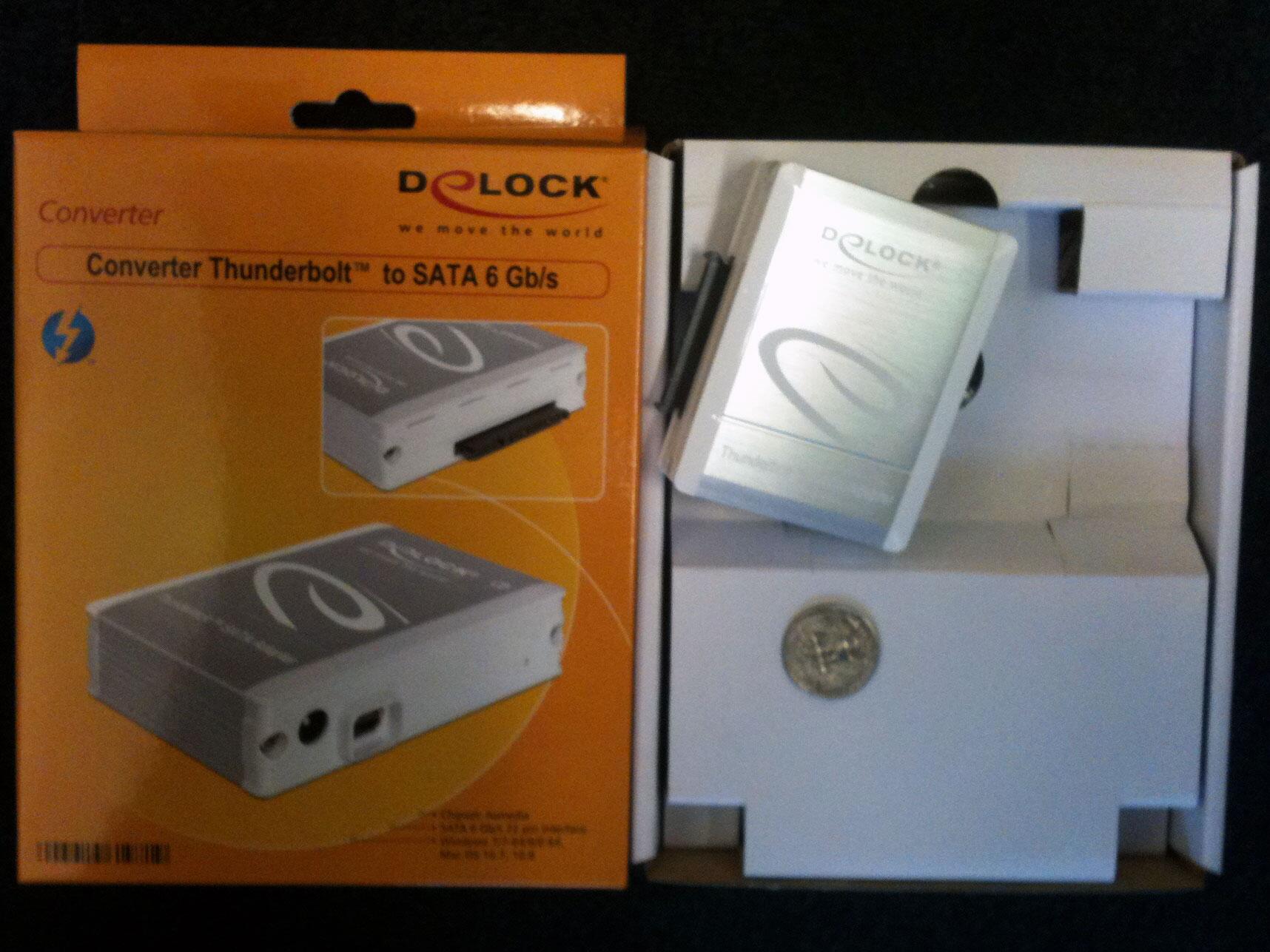
It's Time Machine compatible. The Delock Thunderbolt to SATA adapter making backups painless. Now I need some speedy 6Gbps drives and SSDs.!

The M-510 Portable Bluetooth A2DP Music Receiver supports the Bluetooth Advanced Audio Distribution Profile (A2DP) utilizing Low Complexity Subband Coding (SBC). SBC is applied to existing audio CODECs, in other words transcoding on the fly. This is fine for typical medium to higher quality AAC and MP3 stored on portable devices like iPods, iPhones, and iPads. However, if you're expecting lossless formats like FLAC, ALAC, or even high quality lossy formats like lame --preset insane encoded files to sound the same, they won't. Highest quality audio is better served over WiFi with AirTunes/AirPlay enabled audio equipment. That said, the M-510's quality is acceptable for 256 kbps or lower quality iTunes AACs or MP3 files, which is what most people have on iDevices and other portable players. Overall the M-510 is an inexpensive way to add wireless playback ability to devices without that capability. If you're looking for really high fidelity, you're not shopping the under $40 devices market to begin with.
The M-510 Portable Bluetooth A2DP Music Receiver's other big plus is that it provides the choice between an AC adapter and running off a single AAA battery. That last option provides a lot of flexibility when you think of portable scenarios. Don't want to lug your expensive audio equipment outside, but have an old boombox with a 3.5mm line in? Add the M-510 and now that boombox becomes remote speakers for your iPhone 5.
Pairing the M-510 with the iOS devices is a simple as visiting Settings > Bluetooth" and then finding Music Receiver in the list of devices

Tap on Music Receiver and it will then read as Connected.
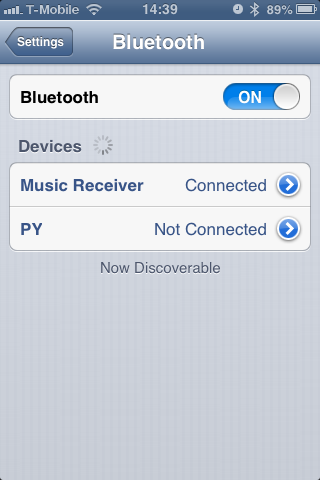
Later if you choose to remove the saved connection by clicking arrow to the right of the word Music Receiver and then tapping Forget this Device.

During playback, clicking the AirPlay icon on the bottom right of the screen (in orange next to the volume control) allows choice of where the audio signal is to be sent.

Here the M-510 is selected. We can easily switch to the iPhone's internal speakers by clicking the iPhone button.

Just in case no one has tested the Delock FireWire 800 CompactFlash reader under Linux, the good folks at EverythingHerePlus have. They write about it here and here. The CompactFlash cards they tested aren't of much interest for DSLR folks, so I won't post the actual benchmarks here. Those interested can check out the previous mentioned posts. They used the benchmarking feature of the linux app Disk Utility 3.0.2, and listed their test platform as follows.
For older Linux systems without SuperSpeed USB 3.0, using FireWire 800 or even FireWire 400 is going to provide much better performance reading high end CompactFlash cards. The Delock 91694 FireWire CF CompactFlash Reader FireWire 800/IEEE 1394B is an excellent piece of hardware. I'll try to get them to test some higher speed CompactFlash on their setup soon.
On Sat, May 18, 2013 at 12:12 PM, Jason Felice <jason.m.felice <at> gmail.com> wrote: Hi!
I've just released gambit-objc 0.1.0. This is the "it has the basics, and the implementation is complete enough for real projects" release.
* It gives you access to Objective-C class objects. The easiest way is:
(import-classes (NSString NSDictionary))
after which, you can refer to them.
* It dynamically dispatches Objective-C methods:
(: NSString stringWithUTF8String: "hello, world")
* It supports marshaling of native Scheme objects to C/Objective-C types for parameter and return values, including structures, selectors, all integral types, and UTF8 strings. It wraps Objective-C objects with foreign.
* It has a objc-repl, an extended version of gsi which supports square-brace syntax, like so:
[NSString stringWithUTF8String: "Hello, world!"]
You'll find a minimal sample Cocoa app in the distribution as well.
There are many cool things that can be added. I'd love to collaborate, help people use it, and otherwise enable its adoption.
I'm really happy with how elegant it ended up (after a couple partial implementations were scrapped). My next focus will be making it easy to boot on iOS and bring into iOS projects.
-Jason
I got to spend several days testing the Delock FireWire 800 to CompactFlash Reader. It worked spectacularly with the 16GB Sandisk Extreme 60MB/S UDMA CompactFlash cards that I use in my Canon 7D. I'll be posting benchmarks here soon.

The Delock FireWire 800 to UDMA CompactFlash Drive Read-Writer is a must for pro photographers and other demanding users of high speed CompactFlash memory cards. Capable of exploiting the high speeds of the latest generation of CompactFlash memory cards, the FireWire readers 800 boasts incredible read speeds. The Delock FireWire 800 to UDMA CompactFlash Drive reader supports all the recent high-speed CompactFlash standards including PIO Modes 0-4, DMA Modes 0-2, and UDMA Modes 0-6. it features a single CompactFlash slot for CompactFlash Type I and II including Hitachi Microdrives and other CFII+ rotating media. It supports FireWire 800 (and 400 with and optionally purchased adapter or cable) connectivity on both Macintosh and Windows Operating Systems. The FireWire 800 to CompactFlash uses FireWire bus power, so the CFFire800 reader plugs and plays with no external AC power. The Delock FireWire 800 to CompactFlash Drive requires no drivers and comes with a one year limited warranty.
 Synchrotech's X4SD USB 2.0 SD Card Reader allows simultaneous access to four SD Card style media. In Automating X4SD USB 2.0 SD Card Reader Four (4) Slot Operations Synchrotech outlines several techniques for automating the copying of files to the device's multiple slots. Here we explore making exact binary copies of media using the device. A common use of this process is duplication.
There's various ways to do do device duplication or byte-for-byte copies of media. Whether we're duplicating CD-ROMs, hard drive disks, SRAM PC Cards, or other removable media, the Unix dd is frequently preferred for these types of operations. While we can execute card to card duplications from one X4SD slot to another, the most common use for the reader is to write an existing SD Card image to all four slots simultaneously. To that end we'll create a binary image of a master SD Card and then use that master to write to blank cards.
dd works with block devices, so we need to unmount the SD Card. To make this simple, we'll be using just one of the X4SD slots at this stage. We'll be using Mac OS X for our example and detail the difference for OpenBSD and Xubuntu. First, we need to identify the mount point of the inserted card. Calling mount in the terminal shows us the information we need (we're leaving out the rest of the output here).
/dev/disk1s1 on /Volumes/NO NAME (local, nodev, nosuid)
We use that information to unmount the mounted device.
[kyoto:~/Desktop] rds% sudo diskutil unmount /Volumes/NO\ NAME
Volume /Volumes/NO NAME unmounted
OpenBSD and Xubuntu would use umount /[devicepath]. Using the block device reference to the X4SD slot, we can copy the card to a binary file using dd.
[kyoto:~/Desktop] rds% sudo dd if=/dev/disk1s1 of=sdcard.bin
1951677+0 records in
1951677+0 records out
999258624 bytes transferred in 1203.276878 secs (830448 bytes/sec)
Inserting a new card into the X4SD, then unmounting it, we can create a duplicate of the original. We then test it using cmp to see if it is identical to the binary file.
[kyoto:~/Desktop] rds% sudo dd if=sdcard.bin of=/dev/disk1s1
1951677+0 records in
1951677+0 records out
999258624 bytes transferred in 1203.276878 secs (830448 bytes/sec)
[kyoto:~/Desktop] rds% cmp /dev/disk1s1 ~/Desktop/sdcard.bin
[kyoto:~/Desktop] rds%
Here we write to all four slots simultaneously on a Xubuntu machine. It's feasible that using hubs and multiple X4SD, we could write to more than four cards at once on a machine with enough CPUs/CPU cores. However, there's a practical limit to the amount of I/O operations one would want to run at the same time. Perhaps writing to each bank of cards sequentially would be the best practice? Since I was only provided a single test unit, that remains an academic question.
rds@okinawa-lin2:~$ sudo dd if=sdcard.bin of=/dev/sdc1 & \
&& dd if=sdcard.bin of=/dev/sdd1 & \
&& dd if=sdcard.bin of=/dev/sde1 & \
&& dd if=sdcard.bin of=/dev/sdf1 &

1951677+0 records in
1951677+0 records out
999258624 bytes (999 MB) copied, 270.799 s, 3.7 MB/s
1951677+0 records in
1951677+0 records out
999258624 bytes (999 MB) copied, 423.987 s, 2.4 MB/s
1951677+0 records in
1951677+0 records out
999258624 bytes (999 MB) copied, 775.1 s, 1.3 MB/s
1951677+0 records in
1951677+0 records out
999258624 bytes (999 MB) copied, 860.479 s, 1.2 MB/s
Here's the abridged results of running mount on our various test systems with the X4SD plugged in and all four of its slot occupied. This output will look different based on what's connected to an individual system.
OpenBSDsd0i on /mnt/s1 type msdos (local) sd1i on /mnt/s2 type msdos (local) sd2i on /mnt/s3 type msdos (local) sd3i on /mnt/s4 type msdos (local)Xubuntu Linux/dev/sdd1 on /media/BF2C-1214 type vfat (rw,nosuid,nodev,uid=1000,gid=1000,shortname=mixed,dmask=0077,utf8=1,showexec,flush,uhelper=udisks) /dev/sdf1 on /media/02A3-1214 type vfat (rw,nosuid,nodev,uid=1000,gid=1000,shortname=mixed,dmask=0077,utf8=1,showexec,flush,uhelper=udisks) /dev/sde1 on /media/3A3A-1214 type vfat (rw,nosuid,nodev,uid=1000,gid=1000,shortname=mixed,dmask=0077,utf8=1,showexec,flush,uhelper=udisks) /dev/sdc1 on /media/5AED-1214 type vfat (rw,nosuid,nodev,uid=1000,gid=1000,shortname=mixed,dmask=0077,utf8=1,showexec,flush,uhelper=udisks)Mac OS X/dev/disk2s1 on /Volumes/NO NAME 3 (local, nodev, nosuid) /dev/disk4s1 on /Volumes/NO NAME 2 (local, nodev, nosuid) /dev/disk3s1 on /Volumes/NO NAME (local, nodev, nosuid) /dev/disk1s1 on /Volumes/NO NAME 1 (local, nodev, nosuid)
Here's the results of running uname -a on our various test systems.
OpenBSD okinawa-bsd2.my.domain 5.1 GENERIC.MP#207 amd64
Linux okinawa-lin2 3.2.0-39-generic #62-Ubuntu SMP Wed Feb 27 22:05:17 UTC 2013 i686 i686 i386 GNU/Linux
Darwin kyoto 8.11.0 Darwin Kernel Version 8.11.0: Wed Oct 10 18:26:00 PDT 2007; root:xnu-792.24.17~1/RELEASE_PPC Power Macintosh powerpc
Technology Musings grants you a nonexclusive copyright license to use all programming code examples from which you can generate similar function tailored to your own specific needs.
All sample code is provided by Technology Musings for illustrative purposes only. These examples have not been thoroughly tested under all conditions. Technology Musings, therefore, cannot guarantee or imply reliability, serviceability, or function of these programs.
All programs contained herein are provided to you "AS IS" without any warranties of any kind. The implied warranties of non-infringement, merchantability and fitness for a particular purpose are expressly disclaimed.

I had never used an Android device before, but aside from some interface clunkiness, it wasn't too hard to navigate around on the device. While many people have touted the device's video playback, internet, and gaming abilities, I was far more interested in its potential as a power efficient music server.
At home I have a Bose Wave® radio II, but I don't always want to start a computer to use Soundlink—which inevitably requires a time consuming Bluetooth re-pair almost every time I use it. Nor do I always want to use with my iPod, which due to its capacity, has song file bit-rates that sound somewhat flat on the Bose. I've always wanted a reliable, but inexpensive music server with a wired connection to the Bose that had ample storage and a usable interface. Preferably with the capability to play FLAC or ALAC. Synchrotech had already tested the MK802 with USB Hard Drives, so there's no worries about large music collections.
While the specifications for the MK802 Android 4.0 Mini PC don't list FLAC as one of its audio CODECs, the specifications for the Android 4.0 do, so the first thing I wanted to try was FLAC playback. It turns out that FLAC files play just fine on the device. I also tested a variety of MP3 and AAC files with the MK802. Things were looking pretty good at that point.

If there was one issue I had with the native Android audio player was that it didn't display the album artwork for any of the files tested. I asked a friend who has had a variety of Android phones and tablets and he said that he wasn't sure why that was happening, and suggested I try other music players like Spotify and WinAmp for Android. The former has problems with the screen orientation for the MK802 and promptly displayed its interface upside down. No matter what we did, we couldn't get Spotify to display correctly. Hope that's something that will get fixed in the future. We couldn't get WinAmp for Android to run at all on the MK802 Android 4.0 Mini PC, even though we installed it via Google Play (née Android Marketplace). Any other suggestions for a robust music player better than the built in version are welcome. Displaying album cover art is pretty much a must considering it's a unit for TV display. A visualizer like the one in iTunes would be a nice bonus too. What did run well was Pandora, but unfortunately that doesn't give us the option to play our own files.

I'm looking forward to another loaner unit in the future to run more experiments.

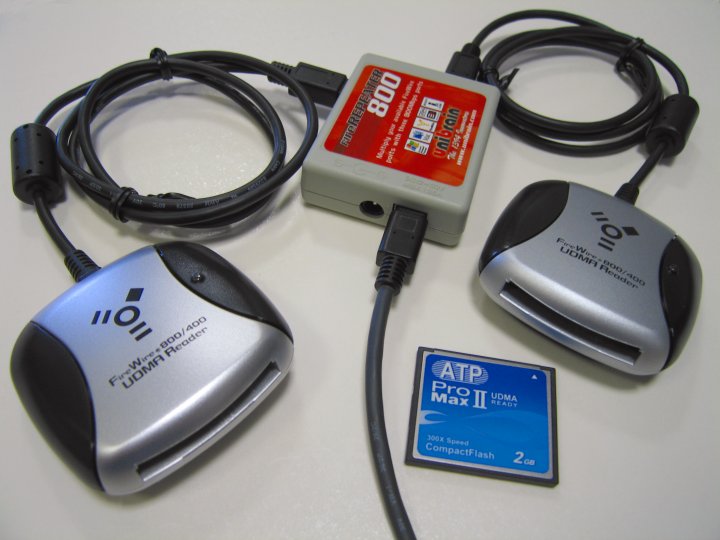
While our CFFire800 Pro uses FireWire bus power, we knew it draws less than 500mA, while the MacBook Pro provides just under 1A of current while running on batteries. One product we offer, Unibrain's extremely portable FireRepeater 800, splits source current between two ports. With that in mind we set out to test two CFFire800 Pro readers with FireRepeater 800 to see if it provided enough power off a single FireWire 800 port to enable both CompactFlash readers; we found it worked flawlessly.
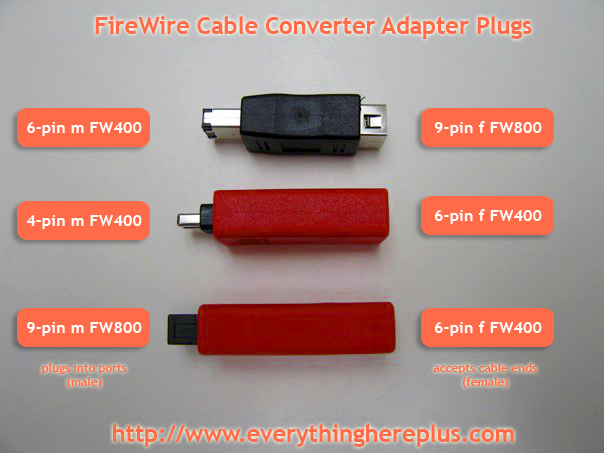
How handy is this photo? It sure makes a lot of prose unnecessary. These adapters cover just about any FireWire 400 or FireWire 800 conversion scenario one could think of.
Converter plugs for FireWire cables allow changing the cable plug type at the very end to match that of the port it's being plugged into. For FireWire 400 (IEEE 1394a) ports, there are converter plugs allowing 9-pin cables to plug into 6-pin ports and converter plugs allowing 6-pin cables to plug into 4-pin ports. For FireWire 800 (IEEE 1394b) there is an adapter plug allowing 6-pin cables to plug into 9-pin ports.
/usr/local/share/doc/samba/README.OpenBSD Check out EverythingHerePlus.com's latest deal: $1.00 Priority Mail Flat Rate delivery to every address in the United States on the FW8-FIO-UB5PRH FireRepeater-800 Pro FireWire 800 IEEE 1394b Repeater Hub 5 Port. Purchase a power supply (PS-12VDC-UB or PS-12VDC-UB-EUROPE) at the same time, and both items ship in the same box for the same price — EverythingHerePlus.com will subtract power supply shipping at time of order processing. For international orders or shipping other than USPS Priority Mail, they'll apply a $4.00 USD discount to quoted shipping prices. This offer is only available on USPS Priority Mail Flat Rate Small Boxes shipping to United States destinations. Offer expires Midnight, September 30, 2010.
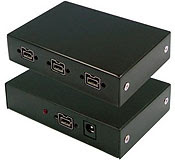 The folks at EverythingHerePlus have been busy as of late. One of the more important piece they've put together is Power Supply Information for FireWire Repeater Hubs like Unibrain's FireRepeater Line, which takes all the mystery out of when and why one would need a power supply for a FireWire repeater hub. The information is especially valuable for those using FireRepeater-800 PRO and FireRepeater-400 products.
In contrast to its competitors, Unibrain’s FireRepeater-800 PRO has a wall mounting bracket to secure the unit in place, and the ability to screw-lock your FireWire cables in place. I would recommend the Unibrain FireRepeater-800 PRO to anyone wanting to connect more devices to his computer than he can daisy-chain, and up to a longer distance than is possible without a repeater device.
| I Can't Quit You, Baby | Willie Dixon | I Am the Blues |
| I Can't Quit You Baby | Led Zeppelin | Led Zeppelin I |
| You Shook Me | Muddy Waters | Muddy Waters, Martin Scorsese Presents The Blues |
| You Shook Me | Led Zeppelin | Led Zeppelin I |
| 19 Years Old | Muddy Waters | Hoochie Coochie Man |
| I Can't Quit You Baby | Led Zeppelin | BBC Sessions (Disc 1) |
| Killing Floor | Howlin' Wolf | Blues You Can Use |
| The Lemon Song | Led Zeppelin | Led Zeppelin II |
| Bring It On Home (Single) | Sonny Boy Williamson | His Best |
| Bring It On Home | Led Zeppelin | Led Zeppelin II |
| Jesus Make Up My Dying Bed | Blind Willie Johnson | Dark Was the Night |
| In My Time Of Dying | Led Zeppelin | Physical Graffiti (Disc 1) |
| In My Time Of Dying | Led Zeppelin | DVD (Disc 2) |
| When The Levee Breaks | Memphis Minnie | Queen Of The Blues |
| When The Levee Breaks | Led Zeppelin | IV |
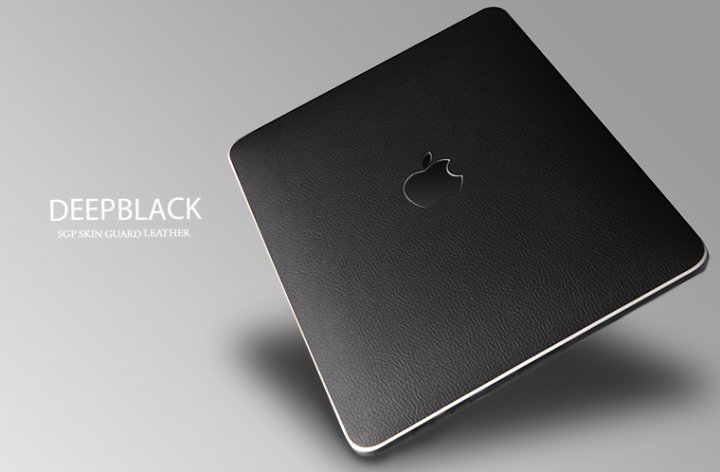 SGP makes amazing products for portable devices including the iPad, iPhone, and iPod. A whole range of quality cases, protective skins, and touchscreen films are available.
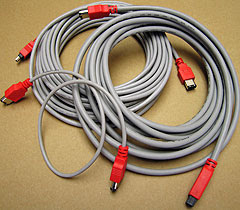 Using FireWire 800 and FireWire 400 Cable Converters and Adapter Plugs like the CAB-FW8-6-9-CONV and the CAB-FW8-9-6-CONV for existing cables is an inexpensive solution. However, the best solution in terms of electrical and signal shielding for bridging between 6 pin FireWire 400 Ports and 9 pin FireWire 800 ports is a 6-pin to 9-pin FireWire cable. EverythingHerePlus carries 2M (6.6F), 4.5M (14.8F), 10M (32.8F) versions of FireWire 6-pin to 9-pin cables.
 Terry White, Tech Guru and Worldwide Design Evangelist for Adobe Systems, Inc. just reviewed EverythingHerePlus.com's new 13 Port Hi-Speed USB 2.0 External Hubs. He weighs the advantages and disadvantages of the devices and in the end says:
If you need to have a lot of peripherals connected at once and you're short on built-in USB ports, this is a great option.
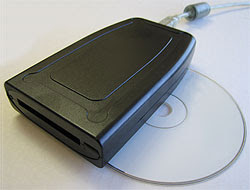
The U111-M is an external read-writer for PCMCIA PC Card SRAM, and ATA Flash memory cards. The U111-M works without additional software or drivers on supported operating systems, treating both SRAM and ATA Flash as standard removable USB mass storage devices. Used in concert with a Type II PC Card adapter, the U111M USB to PCMCIA Memory PC Card drive will work with a variety of consumer memory cards including CompactFlash and SD Cards. Used with desktop or notebooks computers, the U111-M USB to PC Card Read-Writer 1 Slot PCMCIA PC Card ATA Flash and SRAM makes copying files to and from PCMCIA PC Card SRAM and PCMCIA PC Card ATA Flash devices simple and straight forward without confusing software interfaces.
 The U111-M comes with a USB 'Y' for use on rare systems with underpowered ports. Simply plug in the additional power only connection in order to provide necessary current. The U111M provides an inexpensive, hassle free solution to deploying legacy PCMCIA PC Card memory SRAM and ATA Flash cards on modern Linux and Windows computers with USB 1.1 or USB 2.0 ports.
EverythingHerePlus.com's new 13 Port Hi-Speed USB 2.0 External Hubs provide host computers with 13 additional USB ports. These stylish devices allow flexible tiered Hi-Speed USB configurations with a single hub! Both robust and inexpensive, these 13 Port Hi-Speed USB 2.0 External Hubs run in self powered mode and provides over current protection at each of their downstream ports. Fully USB 2.0 compliant and USB 1.1 backward compatible, they supports Low, Full, and Hi-Speed USB devices and work with any system that supports the USB specification. One of the 13 downstream USB ports is on top of the unit, and folds down for convenient access to portable USB Drives. Providing thirteen (13) downstream USB 2.0 ports in total, these USB 2.0 hubs features plug and play installation and transparent operation. These hubs are available in glossy black or white finishes, include a power supply with a generous 4 ampere capacity, and USB 2.0 cable to connect to a host computer.
The U111-M comes with a USB 'Y' for use on rare systems with underpowered ports. Simply plug in the additional power only connection in order to provide necessary current. The U111M provides an inexpensive, hassle free solution to deploying legacy PCMCIA PC Card memory SRAM and ATA Flash cards on modern Linux and Windows computers with USB 1.1 or USB 2.0 ports.
EverythingHerePlus.com's new 13 Port Hi-Speed USB 2.0 External Hubs provide host computers with 13 additional USB ports. These stylish devices allow flexible tiered Hi-Speed USB configurations with a single hub! Both robust and inexpensive, these 13 Port Hi-Speed USB 2.0 External Hubs run in self powered mode and provides over current protection at each of their downstream ports. Fully USB 2.0 compliant and USB 1.1 backward compatible, they supports Low, Full, and Hi-Speed USB devices and work with any system that supports the USB specification. One of the 13 downstream USB ports is on top of the unit, and folds down for convenient access to portable USB Drives. Providing thirteen (13) downstream USB 2.0 ports in total, these USB 2.0 hubs features plug and play installation and transparent operation. These hubs are available in glossy black or white finishes, include a power supply with a generous 4 ampere capacity, and USB 2.0 cable to connect to a host computer. The recent transition to 9-pin FireWire 800 across Apple's product line has many people scrambling to find FireWire 800 hubs. Not to worry, EverythingHerePlus.com offers 3, 4, and 5 port FireWire 800 Repeater Hubs. Great for new Macs, iMacs, and other computing environments utilizing high performance FireWire 800 peripherals.


