Showing posts with label Mac OS. Show all posts

Monday, July 17, 2017

S.M.A.R.T. queries to SSD connected via a Delock 42510 Thunderbolt housing

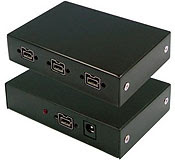
Delock 42510 S.M.A.R.T. queries to SSD

Was asked if one could make expanded S.M.A.R.T. queries to SSD installed in a Delock 42510 running on macOS Sierra. Test system was running 10.12.5. SSD was as SanDisk SDSSDA120G.

S.M.A.R.T.

First thing to do was install smartmontools using macports.

sudo port -v install smartmontools

Then run the query on the SSD in question.

smartctl -a disk2

smartctl 6.5 2016-05-07 r4318 [Darwin 16.6.0 x86_64] (local build)
Copyright (C) 2002-16, Bruce Allen, Christian Franke, www.smartmontools.org

=== START OF INFORMATION SECTION ===
Model Family:     SandForce Driven SSDs
Device Model:     SanDisk SDSSDA120G
Serial Number:    164702445504
LU WWN Device Id: 5 001b44 4a67ae626
Firmware Version: Z32080RL
User Capacity:    120,034,123,776 bytes [120 GB]
Sector Size:      512 bytes logical/physical
Rotation Rate:    Solid State Device
Form Factor:      2.5 inches
Device is:        In smartctl database [for details use: -P show]
ATA Version is:   ACS-2 T13/2015-D revision 3
SATA Version is:  SATA 3.2, 6.0 Gb/s (current: 6.0 Gb/s)
Local Time is:    Mon Jul 17 23:26:13 2017 PDT
SMART support is: Available - device has SMART capability.
SMART support is: Enabled

=== START OF READ SMART DATA SECTION ===
SMART overall-health self-assessment test result: PASSED

General SMART Values:
Offline data collection status:  (0x00) Offline data collection activity
                    was never started.
                    Auto Offline Data Collection: Disabled.
Self-test execution status:      (   0) The previous self-test routine completed
                    without error or no self-test has ever 
                    been run.
Total time to complete Offline 
data collection:        (  120) seconds.
Offline data collection
capabilities:            (0x11) SMART execute Offline immediate.
                    No Auto Offline data collection support.
                    Suspend Offline collection upon new
                    command.
                    No Offline surface scan supported.
                    Self-test supported.
                    No Conveyance Self-test supported.
                    No Selective Self-test supported.
SMART capabilities:            (0x0003) Saves SMART data before entering
                    power-saving mode.
                    Supports SMART auto save timer.
Error logging capability:        (0x01) Error logging supported.
                    General Purpose Logging supported.
Short self-test routine 
recommended polling time:    (   2) minutes.
Extended self-test routine
recommended polling time:    (  10) minutes.

SMART Attributes Data Structure revision number: 1
Vendor Specific SMART Attributes with Thresholds:
ID# ATTRIBUTE_NAME          FLAG     VALUE WORST THRESH TYPE      UPDATED  WHEN_FAILED RAW_VALUE
  5 Retired_Block_Count     0x0032   100   100   000    Old_age   Always       -       0
  9 Power_On_Hours_and_Msec 0x0032   000   100   000    Old_age   Always       -       329h+00m+00.000s
 12 Power_Cycle_Count       0x0032   100   100   000    Old_age   Always       -       23
165 Unknown_Attribute       0x0032   100   100   000    Old_age   Always       -       85903147061
166 Unknown_Attribute       0x0032   100   100   000    Old_age   Always       -       1
167 Unknown_Attribute       0x0032   100   100   000    Old_age   Always       -       0
168 Unknown_Attribute       0x0032   100   100   000    Old_age   Always       -       2
169 Unknown_Attribute       0x0032   100   100   000    Old_age   Always       -       0
170 Reserve_Block_Count     0x0032   100   100   000    Old_age   Always       -       0
171 Program_Fail_Count      0x0032   100   100   000    Old_age   Always       -       0
172 Erase_Fail_Count        0x0032   100   100   000    Old_age   Always       -       0
173 Unknown_SandForce_Attr  0x0032   100   100   000    Old_age   Always       -       1
174 Unexpect_Power_Loss_Ct  0x0032   100   100   000    Old_age   Always       -       21
187 Reported_Uncorrect      0x0032   100   100   000    Old_age   Always       -       0
188 Command_Timeout         0x0032   100   100   000    Old_age   Always       -       0
194 Temperature_Celsius     0x0022   058   038   000    Old_age   Always       -       42 (Min/Max 0/62)
199 SATA_CRC_Error_Count    0x0032   100   100   000    Old_age   Always       -       0
230 Life_Curve_Status       0x0032   100   100   000    Old_age   Always       -       73015951383
232 Available_Reservd_Space 0x0033   100   100   004    Pre-fail  Always       -       100
233 SandForce_Internal      0x0032   100   100   000    Old_age   Always       -       195
234 SandForce_Internal      0x0032   100   100   000    Old_age   Always       -       247
241 Lifetime_Writes_GiB     0x0030   253   253   000    Old_age   Offline      -       220
242 Lifetime_Reads_GiB      0x0030   253   253   000    Old_age   Offline      -       850
244 Unknown_Attribute       0x0032   000   100   000    Old_age   Always       -       0

SMART Error Log Version: 1
No Errors Logged

SMART Self-test log structure revision number 1
No self-tests have been logged.  [To run self-tests, use: smartctl -t]

Selective Self-tests/Logging not supported

Monday, September 6, 2010

FireRepeater resources

FireRepeater-800 Pro FireWire 800 IEEE 1394b Repeater Hub 4 PortThe folks at EverythingHerePlus have been busy as of late. One of the more important piece they've put together is Power Supply Information for FireWire Repeater Hubs like Unibrain's FireRepeater Line, which takes all the mystery out of when and why one would need a power supply for a FireWire repeater hub. The information is especially valuable for those using FireRepeater-800 PRO and FireRepeater-400 products.

Along with that, they make brief mention in Store News for EverythingHerePlus.com: FireRepeater-800 PRO gets a glowing review from IT Enquirer, of an excellent review which discusses the FireRepeater-800 PRO Four Port. An excerpt:

In contrast to its competitors, Unibrain’s FireRepeater-800 PRO has a wall mounting bracket to secure the unit in place, and the ability to screw-lock your FireWire cables in place. I would recommend the Unibrain FireRepeater-800 PRO to anyone wanting to connect more devices to his computer than he can daisy-chain, and up to a longer distance than is possible without a repeater device.

Given their breadth of FireWire knowledge and glowing customer reviews, you'd be hard pressed to find a better place to purchase FireWire products.

Friday, January 22, 2010

U111-M Q&A, Compatibility with Mac OS X? on EverythingHerePlus.com Store blog - Plus U111-M on OpenBSD and Linux updates!

The store blog from EverythingHerePlus.com answers questions regarding U111M compatibility with Mac OS X in Store EverythingHerePlus.com: U111-M Q&A, Compatibility with Mac OS X?. Of interest is the OpenBSD work around testing we did. U111M units with the most current firmware (1.05 above) work just fine with OpenBSD, with the exception of PCMCIA PC Card hot-swapping. As long as the card is inserted in the U111-M prior to connecting, the OpenBSD kernel recognizes it. In fact, there's no need to reboot between PCMCIA PC Card exchanges. Unplugging and plugging in the U111M on the USB bus is all that's necessary to recognize a new card.

Using OpenBSD, we were able to read, write, format, create binary images from, and write binary images to PCMCIA PC Card SRAM and ATA Flash. These capabilities, using just standard command line Unix utilities, are features once exclusively part of expensive, proprietary, Windows software packages. Now, using the U111-M with OpenBSD or Linux provides important low level features often needed with equipment from Honeywell, Canon, Epson, and others.

EverythingHerePlus.com will soon have detailed instructions for these operations.

Saturday, January 2, 2010

FireWire 800 Hubs for New iMacs and Macs as easy as 3, 4, 5!

EverythingHerePlus.com offers 3, 4, and 5 port FireWire 800 Repeater Hubs.The recent transition to 9-pin FireWire 800 across Apple's product line has many people scrambling to find FireWire 800 hubs. Not to worry, EverythingHerePlus.com offers 3, 4, and 5 port FireWire 800 Repeater Hubs. Great for new Macs, iMacs, and other computing environments utilizing high performance FireWire 800 peripherals.

FireWire 800's sustained performance, coupled with other advantages like long cable runs, the ability to daisy chain, and more, make it one of the best and most versatile standards. With a theoretical maximum throughput of 800Mbps, FireWire 800—also known as IEEE 1394b, can typically deliver 80MBps (megabytes per second) performance when used with high end external hard drives like those by G|Tech.

FireWire is a true peer-to-peer technology, unlike the prosaic USB standard. Connectivity terminology for FireWire 800 Repeater Hubs is a little different than those that use star topologies exclusively. The count on a FireWire 800 Repeater Hub comprises the total available ports, since a host computer is considered another peer level device. In other words, plugging a computer into a five port FireWire 800 Repeater Hub leaves four available ports left.

These five, four, and three port FireWire 800 hubs are great for the new Mac Pro, MacBook Pro, iMac and other computers deploying FireWire 800. The 3 port FireWire 800 Repeater Hub edition is a highly portable plastic model, great for traveling. The 4 port and 5 port FireWire 800 Repeater Hub models are constructed from sturdy aluminum and are great for studio and industrial applications. All three FireWire 800 Repeater Hubs accept the optional (purchased separately) PS-12VDC-UB 12VDC 3A External Power Supply to power devices that run off bus power.

Using 6-pin to 9-pin cables or FireWire cable adapters allow FireWire 800 hubs to work with FireWire 400 device of both the 6-pin and 4-pin variety. In fact, since FireWire 800 is backward compatible, investing in a FireWire 800 Repeater Hub for use in mixed FireWire 800 and FireWire 400 environments is the higher performance, and more economical choice.

5 Port FireWire 800 Repeater Hub at EverythingHerePlus.com
Unibrain FireRepeater-800 Pro FireWire 800 IEEE 1394b Repeater Hub 5 Port
2504 / FW8-FIO-UB5PRH Available with $5 USPS Priority Mail shipping!

4 Port FireWire 800 Repeater Hub at EverythingHerePlus.com
Unibrain FireRepeater-800 Pro FireWire 800 IEEE 1394b Repeater Hub 4 Port
2502 / FW8-FIO-UB4PRH Available with $5 USPS Priority Mail shipping!

3 Port FireWire 800 Repeater Hub at EverythingHerePlus.com
Unibrain FireRepeater 800 FireWire 800 IEEE 1394b Repeater Hub 3 Port
2501 / FW8-FIO-UB3PRH Available with $5 USPS Priority Mail shipping!

EverythingHerePlus.com is fun place to shop for fashion accessories, electronics, books, music, and more!

Sunday, November 1, 2009

Error Message (-50) Syncing iPod 5G with iPhoto Solution

I was having this problem and searched on Apple's discussion boards, finding I wasn't alone. The following solved the problem, and is reproduced here since Apple's discussion boards require a login.

The problem was due to escaped unicode characters within the AlbumData.xml file. I first suspected it was the tilde-n combination within many of my photo comments. When using BBEdit to grep them out, I noticed an escape sequence for a unicode character in the search string. Unfortunately, replacing them in the AlbumData.xml file didn't work. On relaunch iPhoto would put the characters back, which meant manually removing a comment sequence from a series of about 120 photos. Finding a script on Apple's site called 'Speak Comments.scpt' and commenting out the lines for speaking the comment (lines 15-18) and adding the following line before them:

set the comment of this_photo to ""

allowed me to remove the problematic comments from just the set of offending photos without having to do them by hand. Upon completion, iTunes recognized iPhoto's libraries and synced them to the 5G iPod without a hitch. Script available from: http://images.apple.com/applescript/iphoto/archive.sit