Showing posts with label Adapter. Show all posts

Tuesday, July 30, 2013

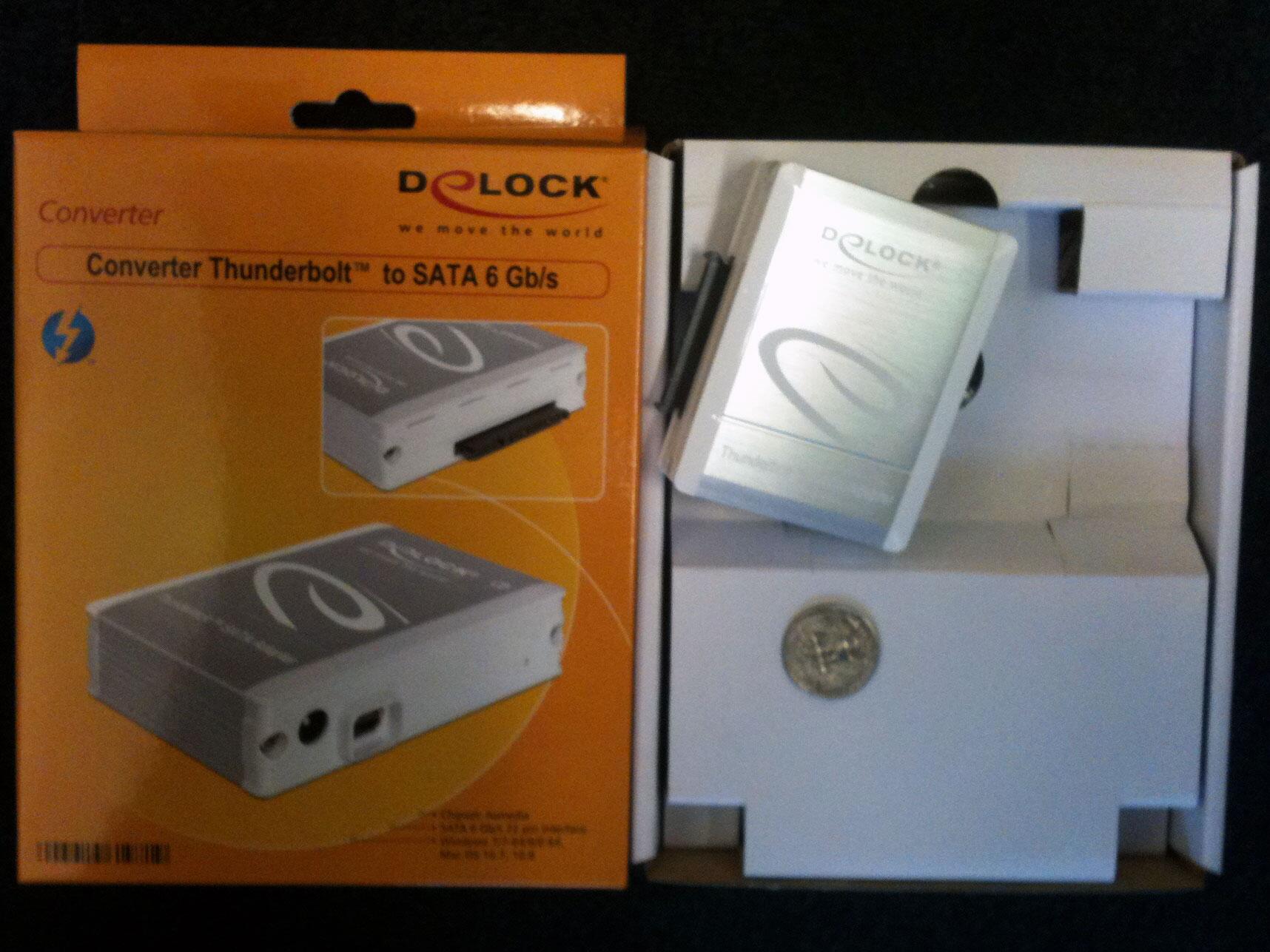
Delock's 61971, a second generation of high-performance Thunderbolt to SATA device

Delock 61971 Thunderbolt to SATA 6Gbps HDD/SSD Drive Adaptor + AC AdapterSynchrotech is now taking pre-orders on the versatile Delock 61971 Thunderbolt to SATA 6Gbps HDD/SSD Drive Adaptor + AC Adapter. I can't wait. The device straddles the functionality of the two Seagate Thunderbolt to SATA adapters, with a good price point.

If you're like me with Macs that have Thunderbolt with no USB 3.0, the 61971 is the perfect solution for 7200RPM 3.5 inch drive backups, and running a MacBook Pro off an external SSD. The portability of the 61971 is great for 2.5" HDD/SSD on the road, but it's power supply makes it useful when in a fixed location for backups to spacious 3.5" HDD. Be sure to keep an eye on this space for a future review!


Just got mine today. Let the testing begin!

Delock 61971 Thunderbolt to SATA 6Gbps HDD/SSD Drive Adaptor + AC Adapter

It's Time Machine compatible. The Delock Thunderbolt to SATA adapter making backups painless. Now I need some speedy 6Gbps drives and SSDs.!

Delock 61971 Thunderbolt to SATA 6Gbps HDD/SSD Drive Adaptor + AC Adapter

Sunday, March 20, 2011

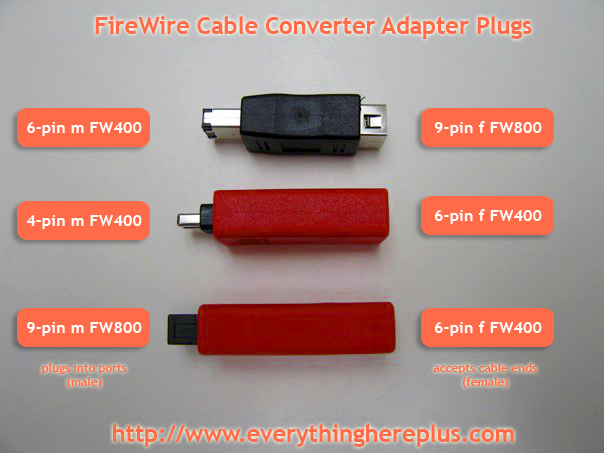
Clearly labeled photo explains FireWire Cable Converter Adapter Plugs

FireWire 800 (6 to 9 pin) (9 to 6 pin), and FireWire 400 (6 to 4 pin) Cable Converter and Adapter Plugs
How handy is this photo? It sure makes a lot of prose unnecessary. These adapters cover just about any FireWire 400 or FireWire 800 conversion scenario one could think of.

Converter plugs for FireWire cables allow changing the cable plug type at the very end to match that of the port it's being plugged into. For FireWire 400 (IEEE 1394a) ports, there are converter plugs allowing 9-pin cables to plug into 6-pin ports and converter plugs allowing 6-pin cables to plug into 4-pin ports. For FireWire 800 (IEEE 1394b) there is an adapter plug allowing 6-pin cables to plug into 9-pin ports.

Instructions for Unix-like Systems with Elan's U111-M SRAM and ATA Flash PCMCIA PC Card Drive

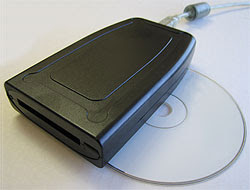
U111-M USB to PCMCIA PC Card ATA Flash and SRAM
EverythingHerePlus.com recently announced a first draft of a document which outlines the use of the BSD and Linux compatible USB reader for PCMCIA PC Card SRAM and ATA Flash memory devices. While the draft isn't complete, experienced users will have no problems using the command line instructions to complete tasks. They tested the device with OpenBSD and Xubuntu Linux.

Elan's U111-M PCMCIA PC Card reader for SRAM and ATA Flash memory devices is unique in that the reader itself brokers all the interfacing with the PC Card and presents itself to the host computer as a USB mass storage device. In addition to working on The Windows platforms, the device works with various versions of BSDs and Linux. Because of this, the U111-M allows users of Unix-like platforms to perform actions on these cards using common command line tools that usually require specialized and expensive software for The Windows. EverythingHerePlus hopes the document will be helpful to those wanting to deploy the U111-M with Unix-like systems.

Table of Contents
Introduction
Operating Systems uname -a results
Plugging in PC Card SRAM or ATA Flash
PC Card Partition Information
Mounting PC Card SRAM or ATA Flash
Unmount PC Card SRAM or ATA Flash
Formatting/Erasing PC Card SRAM or ATA Flash
Binary Image File to PC Card SRAM or ATA Flash
Binary Notes
Comparing Binary to PC Card SRAM
Manual Checksums Binary vs. PC Card SRAM or ATA Flash
View Hexadecimal of PC Card Memory Area (or Binary File Copies)

Monday, September 6, 2010

FireRepeater resources

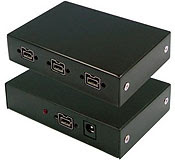
FireRepeater-800 Pro FireWire 800 IEEE 1394b Repeater Hub 4 PortThe folks at EverythingHerePlus have been busy as of late. One of the more important piece they've put together is Power Supply Information for FireWire Repeater Hubs like Unibrain's FireRepeater Line, which takes all the mystery out of when and why one would need a power supply for a FireWire repeater hub. The information is especially valuable for those using FireRepeater-800 PRO and FireRepeater-400 products.

Along with that, they make brief mention in Store News for EverythingHerePlus.com: FireRepeater-800 PRO gets a glowing review from IT Enquirer, of an excellent review which discusses the FireRepeater-800 PRO Four Port. An excerpt:

In contrast to its competitors, Unibrain’s FireRepeater-800 PRO has a wall mounting bracket to secure the unit in place, and the ability to screw-lock your FireWire cables in place. I would recommend the Unibrain FireRepeater-800 PRO to anyone wanting to connect more devices to his computer than he can daisy-chain, and up to a longer distance than is possible without a repeater device.

Given their breadth of FireWire knowledge and glowing customer reviews, you'd be hard pressed to find a better place to purchase FireWire products.

Saturday, January 2, 2010

FireWire 800 Hubs for New iMacs and Macs as easy as 3, 4, 5!

EverythingHerePlus.com offers 3, 4, and 5 port FireWire 800 Repeater Hubs.The recent transition to 9-pin FireWire 800 across Apple's product line has many people scrambling to find FireWire 800 hubs. Not to worry, EverythingHerePlus.com offers 3, 4, and 5 port FireWire 800 Repeater Hubs. Great for new Macs, iMacs, and other computing environments utilizing high performance FireWire 800 peripherals.

FireWire 800's sustained performance, coupled with other advantages like long cable runs, the ability to daisy chain, and more, make it one of the best and most versatile standards. With a theoretical maximum throughput of 800Mbps, FireWire 800—also known as IEEE 1394b, can typically deliver 80MBps (megabytes per second) performance when used with high end external hard drives like those by G|Tech.

FireWire is a true peer-to-peer technology, unlike the prosaic USB standard. Connectivity terminology for FireWire 800 Repeater Hubs is a little different than those that use star topologies exclusively. The count on a FireWire 800 Repeater Hub comprises the total available ports, since a host computer is considered another peer level device. In other words, plugging a computer into a five port FireWire 800 Repeater Hub leaves four available ports left.

These five, four, and three port FireWire 800 hubs are great for the new Mac Pro, MacBook Pro, iMac and other computers deploying FireWire 800. The 3 port FireWire 800 Repeater Hub edition is a highly portable plastic model, great for traveling. The 4 port and 5 port FireWire 800 Repeater Hub models are constructed from sturdy aluminum and are great for studio and industrial applications. All three FireWire 800 Repeater Hubs accept the optional (purchased separately) PS-12VDC-UB 12VDC 3A External Power Supply to power devices that run off bus power.

Using 6-pin to 9-pin cables or FireWire cable adapters allow FireWire 800 hubs to work with FireWire 400 device of both the 6-pin and 4-pin variety. In fact, since FireWire 800 is backward compatible, investing in a FireWire 800 Repeater Hub for use in mixed FireWire 800 and FireWire 400 environments is the higher performance, and more economical choice.

5 Port FireWire 800 Repeater Hub at EverythingHerePlus.com
Unibrain FireRepeater-800 Pro FireWire 800 IEEE 1394b Repeater Hub 5 Port
2504 / FW8-FIO-UB5PRH Available with $5 USPS Priority Mail shipping!

4 Port FireWire 800 Repeater Hub at EverythingHerePlus.com
Unibrain FireRepeater-800 Pro FireWire 800 IEEE 1394b Repeater Hub 4 Port
2502 / FW8-FIO-UB4PRH Available with $5 USPS Priority Mail shipping!

3 Port FireWire 800 Repeater Hub at EverythingHerePlus.com
Unibrain FireRepeater 800 FireWire 800 IEEE 1394b Repeater Hub 3 Port
2501 / FW8-FIO-UB3PRH Available with $5 USPS Priority Mail shipping!

EverythingHerePlus.com is fun place to shop for fashion accessories, electronics, books, music, and more!

Tuesday, November 3, 2009

U111-M testing results on Unix-like operating systems

U111-M USB to PCMCIA PC Card ATA Flash and SRAMEverythingHerePlus.com is now offering a Linux compatible USB reader for PCMCIA PC Card SRAM and ATA Flash memory devices just $155.00 USD. For full details check out U111-M USB to PCMCIA PC Card ATA Flash and SRAM.

In addition to testing the U111M with excellent results on the Windows XP platform, we were asked to test the U111-M with stable and secure Unix-like operating systems.

Here are the results.

Xubuntu Linux 9.04 (Jaunty Jackalope) amd64 edition
U111-M reader is recognized, both ATA Flash and SRAM worked without a hitch
OpenBSD 4.6 beta i386 edition
U111-M reader is recognized, kernel assigns sd0 dev on card inserts, but cannot mount cards using standard mount_msdos command line
OpenBSD UPDATE, this has been resolved -- please see this post for information on using the U111-M with OpenBSD
Mac OS X 10.4.11 PPC edition (iMac)
U111-M reader is recognized, but card inserts throw a "card not recognized" error dialog
Mac OS X 10.5.8 x86 edition (Mac Pro)
U111-M reader is recognized, but card inserts throw a "card not recognized" error dialog


The U111-M represents a low cost way to deploy both PCMCIA PC Card ATA Flash and SRAM on newer systems without existing PC Card slots. Its excellent compatibility with Linux is good news for users and the ability to deal with PCMCIA PC Card SRAM makes it unique in that regard. Xubuntu is the XFCE based Ubuntu distribution, and the U111-M really shined throughout the entire testing procedure.

Available at EverythingHerePlus.com at low prices with USPS Priority Mail shipping.