Monday, June 14, 2010

iPad Oriented United SGP Corp. Products Now at EverythingHerePlus.com

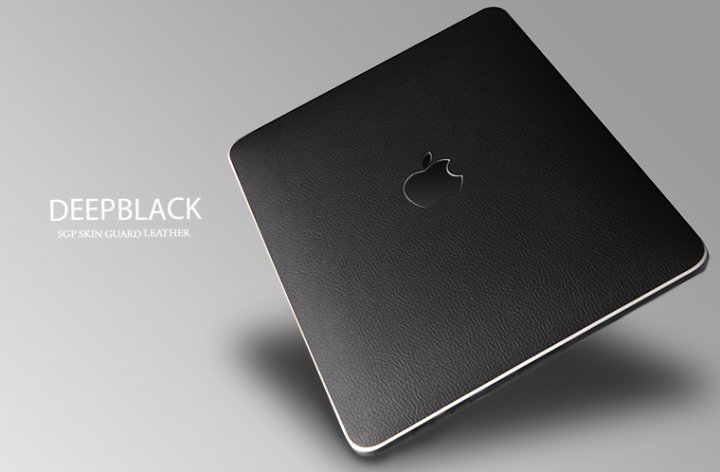
SGP Premium Protective Cover Skin DeepBlack for Apple iPadSGP makes amazing products for portable devices including the iPad, iPhone, and iPod. A whole range of quality cases, protective skins, and touchscreen films are available.

They are now offering the SGP Premium Protective Cover Skin Series for Apple iPad. Three different textured themes are available.

DeepBlack

Carbon

Cube

Wednesday, February 10, 2010

FireWire 800 to FireWire 400 Cable Tip

Did you know FireWire 6-pin to 9-pin cables are the same as FireWire 9-pin to 6-pin cables? You simply flip the cable!

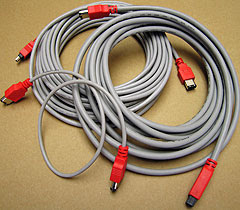
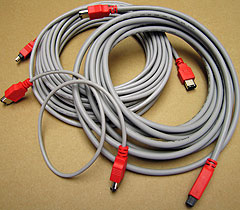
FireWire CablesUsing FireWire 800 and FireWire 400 Cable Converters and Adapter Plugs like the CAB-FW8-6-9-CONV and the CAB-FW8-9-6-CONV for existing cables is an inexpensive solution. However, the best solution in terms of electrical and signal shielding for bridging between 6 pin FireWire 400 Ports and 9 pin FireWire 800 ports is a 6-pin to 9-pin FireWire cable. EverythingHerePlus carries 2M (6.6F), 4.5M (14.8F), 10M (32.8F) versions of FireWire 6-pin to 9-pin cables.

Check out the full range of FireWire 800 Cables and FireWire 400 Cables at EverythingHerePlus.com in the shopping cart section on any of their FireWire Product Pages.

Tuesday, February 9, 2010

Congratulations EverythingHerePlus.com, on your Terry White review!

13 Port Hi-Speed USB 2.0 External Hub with 4A PS (black or white)Terry White, Tech Guru and Worldwide Design Evangelist for Adobe Systems, Inc. just reviewed EverythingHerePlus.com's new 13 Port Hi-Speed USB 2.0 External Hubs. He weighs the advantages and disadvantages of the devices and in the end says:

If you need to have a lot of peripherals connected at once and you're short on built-in USB ports, this is a great option.

Available in glossy black or white finishes, these inexpensive 13 Port Hi-Speed USB 2.0 Hubs come with 4 amp power supplies.

USB-HUB-HU1310B 13 Port Hi-Speed USB 2.0 External Hub with 4A PS (Black)
USB-HUB-HU1311W 13 Port Hi-Speed USB 2.0 External Hub with 4A PS (White)

EverythingHerePlus.com is fun place to shop for fashion accessories, electronics, books, music, and more!
Friday, January 22, 2010

U111-M Q&A, Compatibility with Mac OS X? on EverythingHerePlus.com Store blog - Plus U111-M on OpenBSD and Linux updates!

The store blog from EverythingHerePlus.com answers questions regarding U111M compatibility with Mac OS X in Store EverythingHerePlus.com: U111-M Q&A, Compatibility with Mac OS X?. Of interest is the OpenBSD work around testing we did. U111M units with the most current firmware (1.05 above) work just fine with OpenBSD, with the exception of PCMCIA PC Card hot-swapping. As long as the card is inserted in the U111-M prior to connecting, the OpenBSD kernel recognizes it. In fact, there's no need to reboot between PCMCIA PC Card exchanges. Unplugging and plugging in the U111M on the USB bus is all that's necessary to recognize a new card.

Using OpenBSD, we were able to read, write, format, create binary images from, and write binary images to PCMCIA PC Card SRAM and ATA Flash. These capabilities, using just standard command line Unix utilities, are features once exclusively part of expensive, proprietary, Windows software packages. Now, using the U111-M with OpenBSD or Linux provides important low level features often needed with equipment from Honeywell, Canon, Epson, and others.

EverythingHerePlus.com will soon have detailed instructions for these operations.

Monday, January 18, 2010

U111-M USB to PC Card Read-Writer 1 Slot PCMCIA PC Card ATA Flash and SRAM Memory Cards

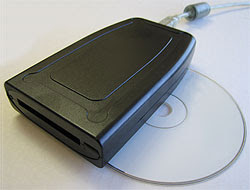
U111M USB reader for ATA Flash and SRAM PC CardsThe U111-M is an external read-writer for PCMCIA PC Card SRAM, and ATA Flash memory cards. The U111-M works without additional software or drivers on supported operating systems, treating both SRAM and ATA Flash as standard removable USB mass storage devices. Used in concert with a Type II PC Card adapter, the U111M USB to PCMCIA Memory PC Card drive will work with a variety of consumer memory cards including CompactFlash and SD Cards. Used with desktop or notebooks computers, the U111-M USB to PC Card Read-Writer 1 Slot PCMCIA PC Card ATA Flash and SRAM makes copying files to and from PCMCIA PC Card SRAM and PCMCIA PC Card ATA Flash devices simple and straight forward without confusing software interfaces.

PCMCIA System Architecture: 16-Bit PC Cards (2nd Edition)The U111-M comes with a USB 'Y' for use on rare systems with underpowered ports. Simply plug in the additional power only connection in order to provide necessary current. The U111M provides an inexpensive, hassle free solution to deploying legacy PCMCIA PC Card memory SRAM and ATA Flash cards on modern Linux and Windows computers with USB 1.1 or USB 2.0 ports.

Thursday, January 7, 2010

EverythingHerePlus.com Introduces 13 Port Hi-Speed USB 2.0 External Hubs with 4A PS (Black or White)

EverythingHerePlus.com offers 3, 4, and 5 port FireWire 800 Repeater Hubs.EverythingHerePlus.com's new 13 Port Hi-Speed USB 2.0 External Hubs provide host computers with 13 additional USB ports. These stylish devices allow flexible tiered Hi-Speed USB configurations with a single hub! Both robust and inexpensive, these 13 Port Hi-Speed USB 2.0 External Hubs run in self powered mode and provides over current protection at each of their downstream ports. Fully USB 2.0 compliant and USB 1.1 backward compatible, they supports Low, Full, and Hi-Speed USB devices and work with any system that supports the USB specification. One of the 13 downstream USB ports is on top of the unit, and folds down for convenient access to portable USB Drives. Providing thirteen (13) downstream USB 2.0 ports in total, these USB 2.0 hubs features plug and play installation and transparent operation. These hubs are available in glossy black or white finishes, include a power supply with a generous 4 ampere capacity, and USB 2.0 cable to connect to a host computer.

USB-HUB-HU1310B 13 Port Hi-Speed USB 2.0 External Hub with 4A PS (Black)
USB-HUB-HU1311W 13 Port Hi-Speed USB 2.0 External Hub with 4A PS (White)

EverythingHerePlus.com is fun place to shop for fashion accessories, electronics, books, music, and more!

Saturday, January 2, 2010

FireWire 800 Hubs for New iMacs and Macs as easy as 3, 4, 5!

EverythingHerePlus.com offers 3, 4, and 5 port FireWire 800 Repeater Hubs.The recent transition to 9-pin FireWire 800 across Apple's product line has many people scrambling to find FireWire 800 hubs. Not to worry, EverythingHerePlus.com offers 3, 4, and 5 port FireWire 800 Repeater Hubs. Great for new Macs, iMacs, and other computing environments utilizing high performance FireWire 800 peripherals.

FireWire 800's sustained performance, coupled with other advantages like long cable runs, the ability to daisy chain, and more, make it one of the best and most versatile standards. With a theoretical maximum throughput of 800Mbps, FireWire 800—also known as IEEE 1394b, can typically deliver 80MBps (megabytes per second) performance when used with high end external hard drives like those by G|Tech.

FireWire is a true peer-to-peer technology, unlike the prosaic USB standard. Connectivity terminology for FireWire 800 Repeater Hubs is a little different than those that use star topologies exclusively. The count on a FireWire 800 Repeater Hub comprises the total available ports, since a host computer is considered another peer level device. In other words, plugging a computer into a five port FireWire 800 Repeater Hub leaves four available ports left.

These five, four, and three port FireWire 800 hubs are great for the new Mac Pro, MacBook Pro, iMac and other computers deploying FireWire 800. The 3 port FireWire 800 Repeater Hub edition is a highly portable plastic model, great for traveling. The 4 port and 5 port FireWire 800 Repeater Hub models are constructed from sturdy aluminum and are great for studio and industrial applications. All three FireWire 800 Repeater Hubs accept the optional (purchased separately) PS-12VDC-UB 12VDC 3A External Power Supply to power devices that run off bus power.

Using 6-pin to 9-pin cables or FireWire cable adapters allow FireWire 800 hubs to work with FireWire 400 device of both the 6-pin and 4-pin variety. In fact, since FireWire 800 is backward compatible, investing in a FireWire 800 Repeater Hub for use in mixed FireWire 800 and FireWire 400 environments is the higher performance, and more economical choice.

5 Port FireWire 800 Repeater Hub at EverythingHerePlus.com
Unibrain FireRepeater-800 Pro FireWire 800 IEEE 1394b Repeater Hub 5 Port
2504 / FW8-FIO-UB5PRH Available with $5 USPS Priority Mail shipping!

4 Port FireWire 800 Repeater Hub at EverythingHerePlus.com
Unibrain FireRepeater-800 Pro FireWire 800 IEEE 1394b Repeater Hub 4 Port
2502 / FW8-FIO-UB4PRH Available with $5 USPS Priority Mail shipping!

3 Port FireWire 800 Repeater Hub at EverythingHerePlus.com
Unibrain FireRepeater 800 FireWire 800 IEEE 1394b Repeater Hub 3 Port
2501 / FW8-FIO-UB3PRH Available with $5 USPS Priority Mail shipping!

EverythingHerePlus.com is fun place to shop for fashion accessories, electronics, books, music, and more!

Paul Graham's "The Roots of Lisp"

Paul Graham's The Roots of Lisp, a cogent essay dealing with John McCarthy's astonishing 1960's paper which introduced the LISP language, and more importantly, the functional model of programing.

Graham stresses his essay is more important today than ever, given how more languages have moved (albeit in a piecemeal fashion) towards the LISP model. Working with seven primitive operators, the paper shows how the entire language is built. Most importantly, the paper shows the LISP trademark, how to write the language in itself.

An interesting aspect for Scheme programmers like myself is the discussion of dynamic versus lexical scoping.

Reading the paper reminds us of why functional languages, especially LISP based ones, aren't just the best for expressing algorithms, but are the most elegant models of programming since the are easily transcribed in mathematical notation.

I can't recommend The Roots of Lisp enough. The paper is available for free download on Paul Graham's site.

Sunday, December 13, 2009

Not all USB 2.0 Y Cables are the same - DoubleQueue features quality engineering!

DoubleQueue USB 2.0 Y Cable at EverythingHerePlus.comThe DoubleQueue USB 2.0 Y Cable was created to the exacting standards of a major WWAN hardware manufacturer. This meant it couldn't be cheaply or poorly designed like many competing cables. The DoubleQueue USB 2.0 Y Cable had to pass rigorous testing of standards bodies like the USB-IF, FCC, and others before it was included in the OEM package for major wireless carriers. One of the keys to DoubleQueue USB 2.0 Y Cable's quality is the split for the power cables is located in the plug where there is the most shielding and the least amount of stresses from movement. Many USB 2.0 Y cables split mid-cable, which is why they aren't standards compliant. DoubleQueue's connectors meet or exceed the USB-IF exacting requirements, and its highest quality EMI shielding assures USB 2.0's maximum throughput of up to 480Mbps. This in turn, makes the DoubleQueue USB 2.0 Y Cable the best choice for a range of devices including 3G/4G WWAN devices like the Kyocera KPC680 or Option Wireless GT Max 3.6 Express, the MicroU2E family of adapters, and even hard drives and SSD devices requiring extra electrical current.

The DoubleQueue USB 2.0 Y Cable features two upstream male A connectors, one for data and power, one for power only, and provides a downstream female A connector. Designed for notebooks and computers that don't provide enough current at their USB 2.0 ports, DoubleQueue's ability to draw power from a second port allows power hungry devices like WWAN 3G modems and hard drives. Some computers provide as little as 300mA per port, which while within specification, is woefully inadequate for many USB 2.0 devices. The DoubleQueue USB 2.0 Y Cable's ability to provide up to 1000mA to 1200mA when used with 500mA ports, and up to 600mA when used with 300mA ports. Providing a female A receptacle allows DoubleQueue to accept USB 2.0 and 1.1 male A cable ends and devices like the MicroU2E-MV without any other adapters. The DoubleQueue USB 2.0 Y Cable can be used as a normal USB 2.0 extender cable simple by using the data and power portion of the cable only.

Available at EverythingHerePlus.com for just $3.50 with inexpensive USPS Priority Mail shipping.

Friday, December 11, 2009

FireWire 4 to 6-pin Cable with Gold Plated Connectors, DV quality at big box prices

 FireWire 400 4 to 6pin Cable 1.8M/6F with Gold Plated Connectors at EverythingHerePlus.comBafo's Premium line of FireWire cables feature ultra high density, triple shielded, high intensity copper for the most stabilized impedance and the highest digital video signal transfer available. Like all the premium line, this FireWire 4 to 6pin Cable has 24K pure hardened gold plated contacts to maintain high bandwidth and maximum data signal integrity. Bafo Premium line quality and standards compliance rival those of far more expensive cables. This 6-pin to 4-pin FireWire 400 cable is perfect for use with DV Camcorders featuring mini-DV, iLINK, FireWire 400 connectors. 1.8M (6 foot) is the most frequently requested length. The FireWire 4 to 6pin Cable is made with lead-free, RoHS compliant, and environmentally safe materials for a better world.

Available at EverythingHerePlus.com for just $5.00 with $5.00 USPS Priority Mail shipping.

Thursday, December 3, 2009

Using Text Configuration Files with NetInfo Manager

Using Text Configuration Files with NetInfo Manager

NetInfo Manager, like most NeXT style applications utilizing the columnar data presentation, is clumsy at best for entering information. Only the most stalwart advocate would be caught trying to use it to enter any lengthy lists of data. Fortunately Apple provides an alternative to those used to the elegant simplicity of text configuration files. Here we will populate NetInfo with a hosts listing from a standard BSD hosts file. This is a simple and very practical example.

To see the very specific format NetInfo prefers the hosts file, and to prevent missing any important information, let's export the existing data from Netinfo first. Make sure the resulting file is in /etc/hosts (permissions apply).

nidump hosts local@localhost

Once we've added all the additional entries, we can now reimport the data into NetInfo Manager.

sudo niload -v hosts . < /etc/hosts

For a full overview of command line utility access to NetInfo, execute apropos netinfo and read the corresponding man pages. We are also assuming that the reader is familiar with maintaining standard Unix host files.

Tuesday, December 1, 2009

FireRepeater-800 PRO 5 Port FireWire 800 Repeater Hub

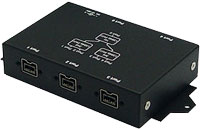
FireRepeater-800 Pro 5 Port at EverythingHerePlus.comUnibrain's FireRepeater-800 PRO 5 Port Repeater Hub provides port expansion on FireWire 800 IEEE 1394b device chains. Oriented towards industrial and machine vision applications, FireRepeater-800 PRO provides the ability to connect up to five FireWire 800 devices and it's metallic compact case minimizes the risk of physical damage. The platform agnostic device provides five bilingual 9 pin FireWire 800 ports with a maximum throughput of up to 800 Mbps each. The Hub utilizes FireWire 800 bus power, or accepts an optional power adapter for use with devices requiring more power. The FireRepeater-800 PRO enables bus flexibility in that it allow for daisy chaining and/or hierarchical (tree) bus configurations. The FireRepeater-800 PRO also provides a means to lengthen the distance between devices when a single FireWire cable's length is inadequate. Simply daisy chain repeaters between cables to extend your reach. FireRepeater-800 PRO incorporates locking capable 9 pin bilingual ports, multiple mounting points and an optional metal bracket to ensure an even more secure physical connection.

Available at EverythingHerePlus.com at low prices with USPS Priority Mail shipping.

Tuesday, November 3, 2009

U111-M testing results on Unix-like operating systems

U111-M USB to PCMCIA PC Card ATA Flash and SRAMEverythingHerePlus.com is now offering a Linux compatible USB reader for PCMCIA PC Card SRAM and ATA Flash memory devices just $155.00 USD. For full details check out U111-M USB to PCMCIA PC Card ATA Flash and SRAM.

In addition to testing the U111M with excellent results on the Windows XP platform, we were asked to test the U111-M with stable and secure Unix-like operating systems.

Here are the results.

Xubuntu Linux 9.04 (Jaunty Jackalope) amd64 edition
U111-M reader is recognized, both ATA Flash and SRAM worked without a hitch
OpenBSD 4.6 beta i386 edition
U111-M reader is recognized, kernel assigns sd0 dev on card inserts, but cannot mount cards using standard mount_msdos command line
OpenBSD UPDATE, this has been resolved -- please see this post for information on using the U111-M with OpenBSD
Mac OS X 10.4.11 PPC edition (iMac)
U111-M reader is recognized, but card inserts throw a "card not recognized" error dialog
Mac OS X 10.5.8 x86 edition (Mac Pro)
U111-M reader is recognized, but card inserts throw a "card not recognized" error dialog


The U111-M represents a low cost way to deploy both PCMCIA PC Card ATA Flash and SRAM on newer systems without existing PC Card slots. Its excellent compatibility with Linux is good news for users and the ability to deal with PCMCIA PC Card SRAM makes it unique in that regard. Xubuntu is the XFCE based Ubuntu distribution, and the U111-M really shined throughout the entire testing procedure.

Available at EverythingHerePlus.com at low prices with USPS Priority Mail shipping.

Sunday, November 1, 2009

Error Message (-50) Syncing iPod 5G with iPhoto Solution

I was having this problem and searched on Apple's discussion boards, finding I wasn't alone. The following solved the problem, and is reproduced here since Apple's discussion boards require a login.

The problem was due to escaped unicode characters within the AlbumData.xml file. I first suspected it was the tilde-n combination within many of my photo comments. When using BBEdit to grep them out, I noticed an escape sequence for a unicode character in the search string. Unfortunately, replacing them in the AlbumData.xml file didn't work. On relaunch iPhoto would put the characters back, which meant manually removing a comment sequence from a series of about 120 photos. Finding a script on Apple's site called 'Speak Comments.scpt' and commenting out the lines for speaking the comment (lines 15-18) and adding the following line before them:

set the comment of this_photo to ""

allowed me to remove the problematic comments from just the set of offending photos without having to do them by hand. Upon completion, iTunes recognized iPhoto's libraries and synced them to the 5G iPod without a hitch. Script available from: http://images.apple.com/applescript/iphoto/archive.sit

Friday, October 30, 2009

Announcing EverythingHerePlus.com

EverythingHerePlus.comEverythingHerePlus.com is a new online shop that, among other things, is an authorized Synchrotech reseller.

Their prices on many of Synchrotech's most popular items are typically discounted, and they ship via USPS Priority mail instead of FedEx, so many items are much cheaper to purchase when shipping is taken into account. For example EverythingHerePlus.com sells and ships the ExpressAdapt PCMCIA PC CardBus to USB Mode ExpressCard Adapter for $27.92. Or have an Unibrain FireWire 400 to 800 Adapter delivered for less the the retail price of the Sonnet version.

Tuesday, July 28, 2009

CFFire800 Pro Benchmarks and Performance Shootouts

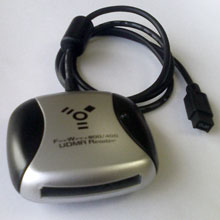
CFFire800 with Adapter from EverythingHerePlus.comThe CFFire800 Pro FireWire 800 to UDMA CompactFlash reader made the arduous task off offloading photos from my Cannon S-70 somewhat of a joy. Synchrotech published a few documents verifying my experience.

CFFire800 Pro Benchmarks
I use an ATP ProMax II CF 300X UDMA CompactFlash Card and see numbers very close to the top cards on this list.

Modern UDMA CompactFlash Reader Benchmarks FireWire vs USB 2.0
I use the FireWire 800 based CFFire800 Pro in FireWire 400 mode with a 9→6 pin adapter and can say it outperforms any USB 2.0 based CompactFlash reader I've ever tested by orders of magnitude.

Monday, July 20, 2009

Why use Gambit Scheme for application development?

A discussion from jlongster on Gambit embedded in Objective-C. Some potentially cool stuff here. This discussion was a follow on to mikelevins Heresy article in which Scheme <-> Objective-C interface is also discussed. mikelevins' mention of prefix-dylan is a bonus as well.

Wednesday, July 8, 2009

Great FireWire 400 to FireWire 800 FAQ

FireWire 400 and FireWire 800 CablesSynchrotech FAQ deals with myriad questions regarding connecting between FireWire 400 and FireWire 800 and vice versa.

With Apple's bold transition to all FireWire 800 ports on their computers and USB 3.0's disappointing initial performance figures, this FAQ and HOWTO is right on time!

Of special note is their 6→9 FireWire 800 IEEE1394b 6pin (female) to 9pin (male) Converter Plug available at EverythingHerePlus.com for under $9 and shipped for only $5!

Jeff Cat Explains FireWire Port Identification

CES 2009: USB 3.0 slower than expected

Any wonder at all the latest incarnation of the prosaic USB standard with its outdated and awkward master-slave topology, underperforming NRZI encoding, and clumsy CPU cycle stealing bus mastering scheme doesn't live up to the hype?

Evidenced by the results of all the benchmarks I've ever run in the lab, USB 2.0 is crushed by Ultra Wide SCSI, an early 1990's technology. Let's ponder USB with its anemic power capabilities, frightfully short cable runs, and well over a decade old performance capabilities. What was USB's advantages other than ubiquity again?

I realize many USB otaku have bought into the Intel fanboi TV spot [1], but maybe people should be tossing rotten fruits and vegetables at Ajay Bhatt.

[1] Truth is, Intel was only one many firms with patents contributed to the original USB pool. Intel later bought many of them after the fact. So the whole "rock star inventor" thing is a little suspect no? In fact, Wikipedia cites him as one of the co-inventors. http://en.wikipedia.org/wiki/Universal_Serial_Bus#History

Monday, October 6, 2008

Considering testing out the CFMulti with and Eye-Fi Card

The following is preliminary research I did to test out Synchrotech's CFMulti with and Eye-Fi card for use with my Canon S-70.

FAQ for CFMulti CompactFlash Type II to Eye-Fi™ + Multi-Card Adapter
CFMulti CompactFlash Type II to Eye-Fi™ + Multi-Card Adapter
http://photojojo.com/uncut/2008/06/14/eye-fi-canon-20d-30d-40d
http://support.eye.fi/faq/troubleshooting/#faq-388
http://johnmilleker.com/weblog/?p=29

Getting Gambit to respect prefix settings at configure

After posting a concern about Gambit inserting an additional "version" directory into the installation path, the following was suggested on the Gambit mailing list and works perfectly. When executing make install set the PACKAGE_SUBDIR="" to remove the version number from the installation path.

For me the configure, make, install routine works as follows:

$ ./configure --enable-single-host --enable-gcc-opts --prefix=/Users/Shared
$ make install prefix=/usr/local PACKAGE_SUBDIR=""

This places the Gambit files in the directories I expect them to be in.

Thursday, October 2, 2008

Kawa Implementation of Asymmetric Encryption Keys Via KeyPairGenerator

Recreation of Sun's Java example program to create RSA and DSA keys from the command line in Kawa Scheme. The code utilizes the following Kawa functionality: 6.4 Compiling Scheme to a standalone application, 10.4 Calling Java methods from Scheme.

A pro reader for the rest of us

CFFire800 with Adapter from EverythingHerePlus.comWhen EverythingHerePlus.com released their CFFire800 Pro reader for CompactFlash cards, I was waiting for them to add a FireWire 400 option. Since I switched from my Pismo PowerBook to an iMac G5, I have had to download photos to iPhoto over the Canon S70's slow USB connection. I have been waiting for an affordable FireWire reader ever since. EverythingHerePlus.com's CFFire800 Pro FireWire 800 to CompactFlash Drive Read-Writer has a 9-pin FireWire 800 plug and I couldn't find a converter plug. Now EverythingHerePlus.com is offering such a plug for those of us that need to use the lightning fast reader with FireWire 400. Their FireWire 800 9pin (female) to 6pin (male) Converter Plug allows use of the CFFire800 Pro for the rest of us. From everything I have read, and my own testing so far, this reader is much faster than USB 2.0 models even when used over FireWire 400 (IEEE 1394a) mode.

Building Kawa on OpenBSD

Getting The Kawa language framework to build on OpenBSD is fairly straight forward. You just have to call gmake instead of make.